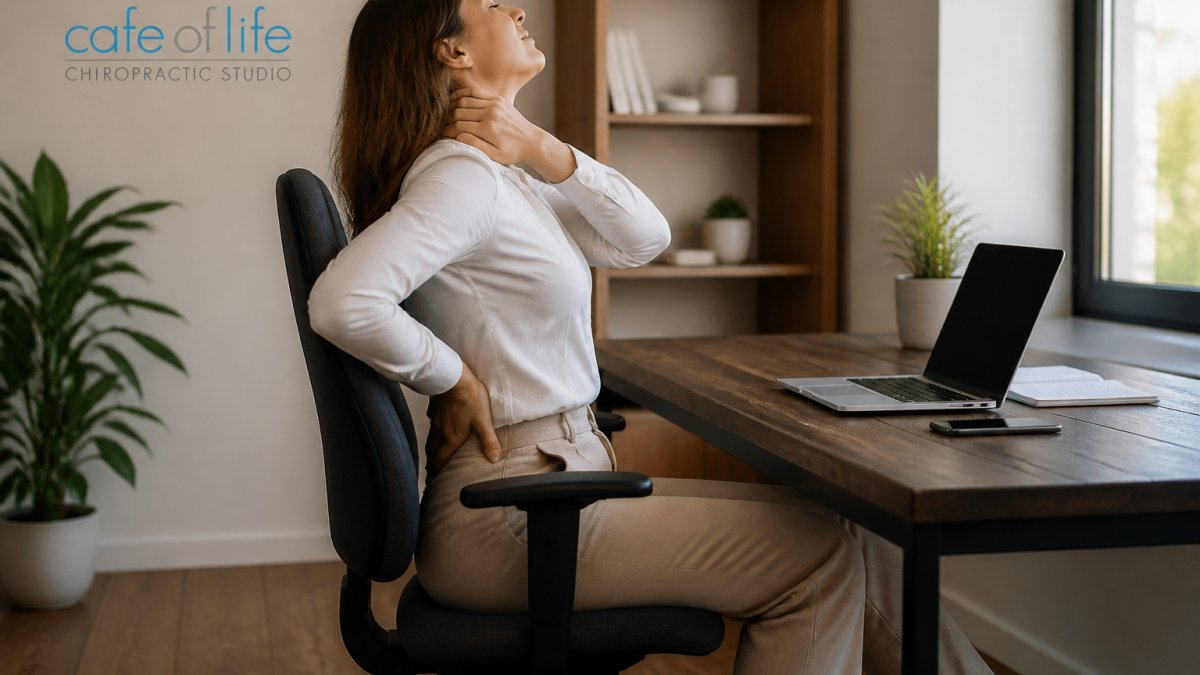
How to Fix Desk Job Posture: A Step-by-Step Guide
Table of Contents
- Why Desk Job Posture Slips (and What It Costs You)
- How to Set Up Your Workstation for Your Body Size
- How to Sit Properly at a Desk: A Neutral Posture Checklist
- Desk Posture Exercises You Can Do Without Leaving Your Chair
- Stretches for Sitting All Day: A Realistic Movement-Break Schedule
- Does a Posture Corrector for a Desk Job Actually Help?
- Laptop, Dual-Monitor, and Hybrid-Work Setups
- When Stiffness Becomes Pain: What to Do Next
- Frequently Asked Questions
Last Updated: October 18, 2026
Why Desk Job Posture Slips (and What It Costs You)
Most people don't set out to slouch. That's how desk job posture quietly falls apart. (Source: a 2026 report on workplace health)
The problem isn't laziness. It's that your body adapts to whatever position you hold longest. (Source: Mayo Clinic's office ergonomics guide)
At Cafe of Life Chiropractic Studio, we see this pattern often in office workers. The good news: posture is a habit you can rebuild.
The Four Signs Your Desk Posture Needs Work
Watch for these warning signs:
- Neck and shoulder tension by mid-afternoon
- Lower back ache that eases when you stand
- A forward head that creeps toward the screen
- Stiffness when you first get up from your chair
If two or more sound familiar, your workstation or your sitting habits need attention.
How to Set Up Your Workstation for Your Body Size
There's no single "correct" desk height. A setup that fits a taller person will wreck a shorter person's shoulders. The fix is to adjust in a specific order, starting from the ground up.
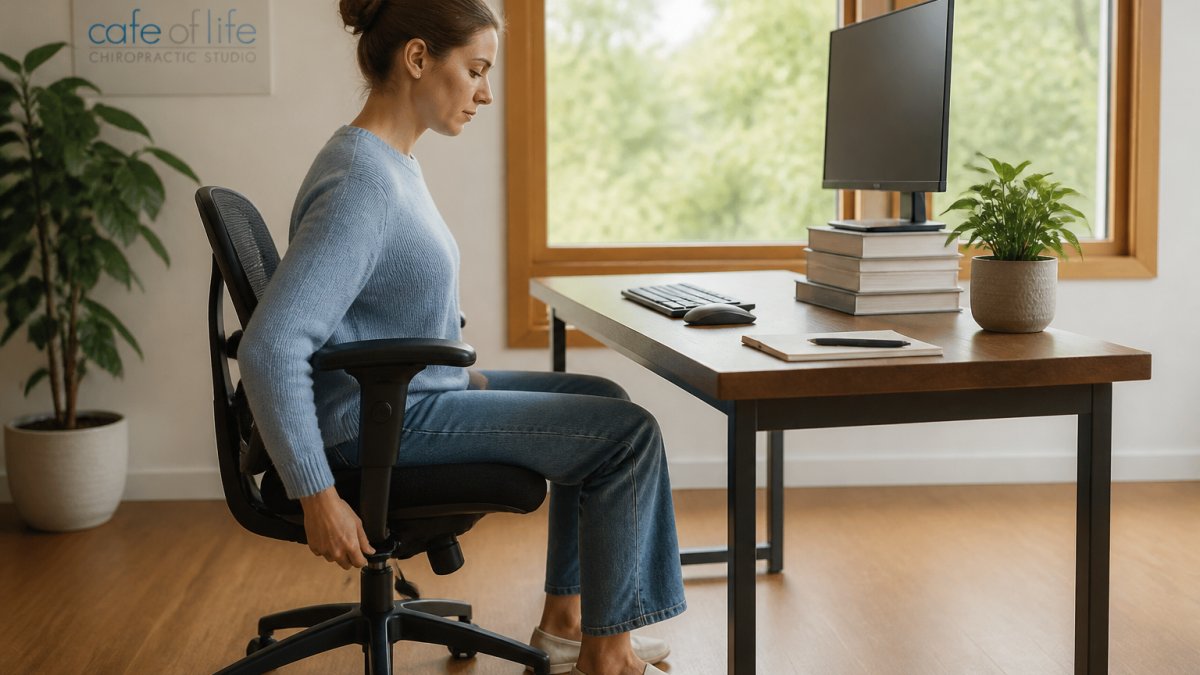
Chair Height, Desk Height, and Monitor Height in Order
- Set chair height first. Raise or lower the seat until your feet rest flat on the floor and your knees sit level with your hips.
- Check desk height. Your elbows should bend to about 90 degrees with your shoulders relaxed, a range OSHA's computer workstation guidelines also recommend. If the desk is too high, use a footrest or raise the chair and add support under your feet.
- Position the monitor. The top of the screen should sit at or just below eye level, about an arm's length away.
- Adjust your keyboard and mouse. Keep them close so your wrists stay straight and your elbows stay by your sides.
The order matters. Changing the monitor before the chair just moves the problem around.
How to Sit Properly at a Desk: A Neutral Posture Checklist
Neutral posture is the alignment where your spine keeps its natural curves and your muscles do the least work to hold you up. It's not rigid, and it's not a military stance. It's a relaxed, balanced position.
Run through this checklist each time you sit down:
- Feet flat on the floor
- Knees level with or slightly below the hips
- Hips pushed back into the chair
- Lower back supported by the chair or a small cushion
You won't hold this perfectly all day. Nobody does. The goal is to return to it often, not to freeze in place.
Desk Posture Exercises You Can Do Without Leaving Your Chair
Desk posture exercises are short movements that counter the shape your chair puts you in. They take under a minute and need no equipment.
Try this simple sequence:
- Chin tucks. Draw your chin straight back, like making a double chin. Hold for five seconds. Repeat ten times.
- Shoulder blade squeeze. Pull your shoulder blades together and down. Hold five seconds. Repeat ten times.
- Neck stretches. Tilt your ear toward one shoulder and hold for fifteen seconds. Switch sides.
- Seated spinal twist. Turn your torso gently to one side, hold, then switch.
- Wrist and forearm stretch. Extend one arm and gently pull the fingers back.
Do this once or twice a day. Little and often beats one long session.
Stretches for Sitting All Day: A Realistic Movement-Break Schedule
Most advice says "take movement breaks." That's not a plan. A realistic schedule needs three things: a trigger you won't ignore, a short menu of movements that fit the space you have, and a way to progress when the basics get easy.
Build the trigger first
Willpower fades by mid-morning. Tie breaks to something that already happens:
- Every 30 to 45 minutes, stand up when a meeting ends, a task closes, or a timer fires.
- Every hour, take a 2-minute movement snack (stand, walk to fill water, shoulder rolls), in line with OSHA's computer workstation guidance on short, frequent breaks.
- Every 2 to 3 hours, take a 5-minute break with one stretch from each category below.
- End of day, take a 10-minute walk or light mobility session.
If you use a calendar, block three 5-minute breaks at 10:00, 13:30, and 15:30. Treat them like meetings you can't decline.
A 5-minute break menu (pick one from each)
| Category | Option A | Option B | Option C |
|---|---|---|---|
| Hip opener | Standing hip flexor stretch, 30 sec each side | Seated figure-4, 30 sec each side | Standing lunge with reach, 30 sec each side |
| Chest/shoulder | Doorway chest stretch, 30 sec | Shoulder blade squeeze, 10 reps | Wall angels, 10 reps |
| Neck/upper back | Chin tucks, 10 reps | Ear-to-shoulder stretch, 15 sec each side | Seated spinal twist, 20 sec each side |
| Circulation | Walk to the farthest water station | 20 calf raises | 10 bodyweight squats |
Do one option from each row. That's five minutes, no equipment, no sweat.
Progress the schedule, don't just repeat it
Week 1: hit three breaks per day. Week 2: add one 10-minute walk. Week 3: add a 2-minute strength snack (wall sit, glute bridge, or band pull-apart) to one break. Week 4: keep the schedule but change one option per category so you don't adapt to the same stretch.
What to do when you can't leave the desk
Some days you can't stand. Use seated versions: chin tucks, shoulder blade squeezes, seated spinal twists, ankle pumps, and wrist circles. Two minutes of seated movement still beats an hour of stillness.
Does a Posture Corrector for a Desk Job Actually Help?
A posture corrector can be a useful short-term reminder, but it is not a fix. The mechanism matters: most braces pull your shoulders back passively. That changes where your body sits, not what your muscles can do. When you take the brace off, the underlying pattern returns unless you've also changed your setup, your movement habits, and your strength. True structural change requires a consistent commitment to improving your working posture through intentional daily adjustments.
What a brace can and can't do
| It can | It can't |
|---|---|
| Remind you to stop slouching for short periods | Teach your postural muscles to hold you upright |
| Reduce shoulder rounding while you wear it | Fix a desk that's the wrong height |
| Give feedback during a specific task | Replace movement breaks or strengthening |
A common pattern is to wear a brace for 20 to 30 minutes during a focused task, then take it off. Wearing one for hours at a time can let the muscles that hold your shoulders back do less work, which is the opposite of what you want.
A decision framework
Ask three questions before buying one:
- Is your desk set up correctly? If the monitor is too low or the chair is the wrong height, fix that first. A brace on a bad setup just holds you in a better-looking bad position.
- Are you already moving every 30 to 45 minutes? If not, a timer and a short break menu will do more than a brace.
- Do you have a specific task where you collapse forward? If yes, a brace can be a training cue for that task, not an all-day garment.
If you answer "no" to the first two, skip the brace and spend the money on a footrest, a laptop stand, or an external keyboard.
The lasting fix
The durable approach is the same three-part plan that works without any device:
- A workstation that fits your body
- Regular movement breaks
- Strengthening the muscles that hold you upright (upper back, deep neck flexors, glutes, and core)
If you want outside support, a professional assessment can identify which muscles are tight and which are weak, so you train the right ones instead of guessing.
Laptop, Dual-Monitor, and Hybrid-Work Setups
Laptops and dual monitors create their own posture traps. A laptop screen sits too low, pulling your head forward, a posture that OSHA's computer workstation guidelines link to neck and shoulder strain. Two monitors can leave you twisting toward one side all day.
Quick fixes:
- Laptop: Raise it on a stand or books to eye level and use an external keyboard and mouse.
- Dual monitors: Center yourself between them, or place the main screen directly ahead and angle the second one in.
- Hybrid work: Keep a small kit (laptop stand, external mouse, footrest) so your home setup matches the office.
Consistency matters here. If your home desk wrecks your posture every evening, the office setup can't fully compensate.
When Stiffness Becomes Pain: What to Do Next
Occasional stiffness after a long sit is common. Pain that lingers, spreads, or comes with numbness, tingling, or weakness is a different matter.
See a qualified health professional if you notice:
- Pain that lasts more than a couple of weeks
- Numbness or tingling in your arms or hands
- Weakness or loss of grip
- Pain that wakes you at night
These signs deserve a proper assessment rather than more stretching.
Small changes add up. Fix your setup, move more often, and build strength over time. If stiffness keeps returning, a posture assessment can show you where to focus.
Frequently Asked Questions
How often should you take breaks from sitting at a desk?
Aim to change positions every 30 to 45 minutes, even if only for a minute or two. Stand up, roll your shoulders, walk to fill your water bottle, or do a few chin tucks. A simple rule is to stand and stretch once every half hour and take a longer two to three minute walk every hour or two. Movement breaks matter more than holding one perfect posture all day, because even good desk job posture becomes uncomfortable when it never changes. OSHA's computer workstation guidance echoes this, recommending that workers alternate tasks and take short breaks to reduce the strain of prolonged sitting.
Do posture correctors work for desk jobs?
A posture corrector for a desk job can remind you to pull your shoulders back, but it does not build the strength or body awareness to hold that position on your own. Most people find the effect fades once the brace comes off. Use one briefly if it helps you notice slouching, then shift your effort to workstation setup, desk posture exercises, and regular movement breaks. If you have persistent neck pain or shoulder discomfort, speak with a qualified health professional before relying on a brace.
Can you correct years of bad posture?
You can make meaningful improvements at any age, but the timeline is measured in weeks and months, not days. Consistent changes help most: set your chair and monitor height correctly, practice neutral posture cues, do desk posture exercises like chin tucks and shoulder blade squeezes, and take movement breaks. Some structural changes in the spine will not reverse, and that is normal. The goal is reducing stiffness, neck pain, and lower-back discomfort and helping you sit upright with less effort, not achieving a perfect silhouette.
What exercises help improve desk posture?
Focus on the muscles that hold your shoulders and head in place. Chin tucks train neck alignment, shoulder blade squeezes strengthen the upper back, and back bridges plus core strength work support your lower back. Neck stretches and chest openers relieve muscle tightness from slouching. Start with five to ten slow repetitions of each, once or twice a day, and add frequency before adding difficulty. If an exercise causes sharp pain or numbness, stop and check with a qualified professional.
Desk job posture doesn't fix itself, and pain that keeps coming back is a signal worth listening to. At Cafe of Life Chiropractic Studio, we offer a natural, drug-free approach with a holistic focus on mobility, posture, and well-being, plus specialized care for every stage of life. Schedule your first visit today and get a plan built around your body.